Owner app
Live branch sales, comparisons, alerts and access controls on your phone.
Explore this serviceRun your restaurant with a Windows POS that keeps working offline. Add optional cloud services when you need them.
No mandatory monthly subscription.
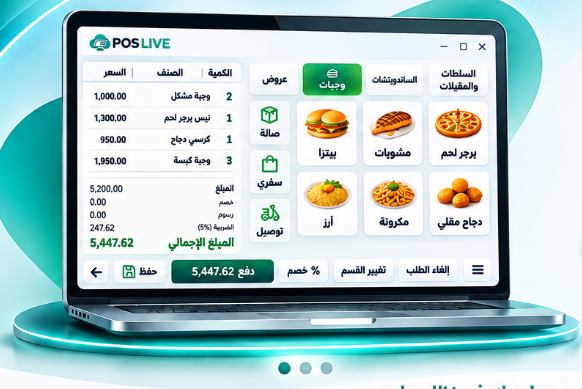
Connected tools to run your day and understand every detail.
Faster service. Every order in its place.
Know what you use, what remains and what it costs.
From the sale to the accounting entry.
From the big picture to the detail.
Your team’s records in one place.
Ask in your own words. Get answers.
No mandatory monthly subscription for your core POS. Add optional services only when you need them.
Follow your branches and open new ordering channels. Subscribe only to the services you need.
Live branch sales, comparisons, alerts and access controls on your phone.
Explore this serviceTable ordering without an app, with order acceptance controls.
Explore this serviceA direct link for pickup orders and order tracking.
Explore this serviceClear screens for every step, from taking an order to reviewing a report.
Software screenshots • Select an image to enlarge
Your core POS runs on the restaurant’s computer. Each branch works independently, with cloud services adding visibility when connected.
The cloud does not access it directly. Your restaurant initiates data transmission.
Customer testimonials will be added here once approved.
[Customer testimonial]
[Customer testimonial]
[Customer testimonial]
No. The core system is a one-time purchase. Smart services, support and updates are optional subscriptions; choose what you need.
Yes. The Windows POS runs locally at your restaurant. Internet-based services such as the Owner app, online ordering and cloud backup require a connection.
Yes. Arabic and English are supported throughout the software.
Yes. Request a quote for only the services you need: Owner app, QR ordering, online pickup, backups, full history, or support and updates.
Yes. Each branch runs independently, with optional central monitoring and branch comparisons through the Owner app.
Enter your name, restaurant, mobile number and branch count. WhatsApp opens with a prepared message for you to review and send.
Tell us about your operation and branches. We’ll put together a quote for what you need.